In a world where online privacy is becoming increasingly scarce, the quest for security has never been more critical. You may have heard of VPNs, or virtual private networks, but do you truly understand what they can do for you? Imagine browsing the internet without fear of prying eyes and having your data shielded from hackers and snoopers alike. A VPN can make that happen.
But what if we told you that instead of relying solely on commercial providers, you could set up your own VPN? Yes, it’s possible! DIYing your own virtual network not only puts control back in your hands but also gives you an unparalleled level of customization. Ready to dive into the digital realm and explore how to establish your very own VPN? Let’s get started!
What is a VPN and Why Do You Need One?
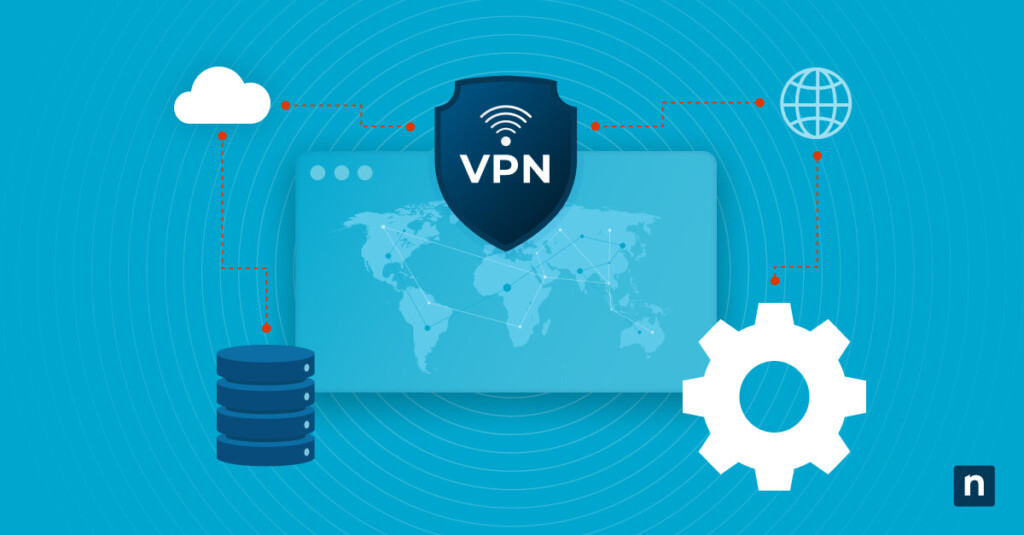
A VPN, or virtual private network, is a technology that creates a secure connection between your device and the internet. It acts like an encrypted tunnel for your online activities, keeping them hidden from prying eyes.
Why do you need one? First off, privacy. In today’s digital landscape, your data can be intercepted by hackers or tracked by advertisers. A VPN shields sensitive information and helps maintain anonymity while browsing.
Additionally, it allows access to geo-restricted content. Want to stream shows only available in other countries? A VPN can make that possible by masking your IP address and making it look like you’re connecting from another location.
Using public Wi-Fi networks poses risks as well. Without protection, these connections can leave you vulnerable to cyber threats. A VPN adds an extra layer of security on such networks, ensuring safer browsing experiences wherever you go.
Step-by-Step Guide to Setting Up Your Own VPN
Setting up your own VPN can be a rewarding project. Start by selecting a server to host your VPN. This could be a cloud service provider like AWS, DigitalOcean, or even an old computer at home.
Next, install the necessary software. OpenVPN is popular and widely supported. Follow the installation instructions carefully for your chosen operating system.
Once installed, generate encryption keys and configure user access permissions. This step ensures that only authorized users connect to your VPN securely.
After configuration is complete, adjust firewall settings on your server to allow VPN traffic through specific ports. Test this connection from another device to confirm everything works smoothly.
Don’t forget about client-side setup! Install the OpenVPN client on devices you wish to use with your new VPN. Import the configuration file created earlier and establish a secure connection easily.
Enjoy enhanced online privacy and security as you navigate the web with confidence.
Popular VPN Providers vs. DIY VPN
When choosing a VPN, you typically have two paths: popular providers or setting up your own DIY option.
Popular VPN services come with user-friendly interfaces and robust customer support. They offer features like quick server switches, automatic kill switches, and multi-device compatibility. However, these conveniences can come at a hefty price.
On the other hand, a DIY VPN gives you control over your privacy and security settings. You decide which protocols to use and where to host your server. This method often requires more technical knowledge but can be far less expensive in the long run.
It boils down to what matters most to you—ease of use or customization. Each choice has its merits depending on your specific needs for online security and anonymity.
Benefits of Setting Up Your Own VPN
Setting up your own VPN opens the door to enhanced privacy. You control your data, reducing reliance on third-party providers. This means fewer worries about logging or tracking.
Another major advantage is customization. Tailor settings and protocols to suit your specific needs. Whether you prioritize speed or security, having that flexibility can make a big difference.
Cost-effectiveness also stands out. While commercial VPNs often come with subscription fees, building your own can be cheaper in the long run. Once set up, maintenance costs are typically lower than ongoing plans with established services.
Additionally, you’ll enjoy better performance. Many DIY solutions allow for more direct connections without the overhead of multiple servers cluttering traffic routes.
Personalizing access gives you freedom over geo-restrictions and digital censorship hurdles as well as a chance to learn valuable tech skills along the way.
Potential Risks and How to Address Them
Setting up your own VPN can be empowering, but it comes with potential risks that you should consider. One major concern is security vulnerabilities. If not configured properly, your DIY VPN could expose sensitive data.
To mitigate this risk, use strong encryption protocols like OpenVPN or WireGuard. Regularly update your software to patch any security loopholes.
Another issue is the possibility of legal repercussions. Depending on where you live, using a VPN for certain activities might attract unwanted attention from authorities.
Always stay informed about local laws regarding internet usage and privacy rights to navigate these waters carefully.
Performance issues can arise if your home network isn’t robust enough. Slow speeds may hinder browsing and streaming experiences.
Consider investing in quality hardware and optimizing your bandwidth settings to ensure a smooth connection while maintaining privacy.
Troubleshooting Common Issues
Setting up your own VPN can come with its share of hiccups. If you find that your connection is slow, it might be due to server overload or distance from the server. Try switching to a different location for better speeds.
Another frequent issue is login failures. Double-check your username and password; even a small typo can lock you out. Also, ensure you’re using the correct protocol settings based on your configuration.
If you’re experiencing disconnections frequently, consider adjusting firewall settings or router configurations. Some routers have specific options that may interfere with VPN traffic.
For those who can’t access certain websites, check if they are blocking VPN traffic altogether. Sometimes tweaking the DNS settings helps bypass these restrictions.
Don’t underestimate the power of community forums and support groups dedicated to DIY VPNs—they’re invaluable resources for troubleshooting unexpected issues.
Conclusion: Is a DIY VPN Right for You?
When considering whether a DIY VPN is right for you, several factors come into play. A homemade VPN can offer greater control over your privacy and security compared to commercial options. If you’re tech-savvy and enjoy customizing your digital environment, setting up your own VPN might appeal to you.
However, it’s essential to weigh the time investment against the benefits. Managing a DIY solution requires ongoing maintenance and troubleshooting skills that not everyone may possess or want to develop. Additionally, if you’re concerned about maximum security without the hassle of setup, established providers could be more suitable.
It boils down to personal preference and comfort level with technology. Take some time to assess what best fits your needs before diving in headfirst into DIY territory.